 Yeschat
FLUX.1 Kontext by YesChat AI: Advanced, Fast, Context-Aware Image Generation
Describe an image or an edit in plain language and FLUX.1 Kontext generates or changes it while keeping characters and style consistent. Sign up free to get 60 credits.
Key Features of FLUX.1 Kontext by YesChat AI
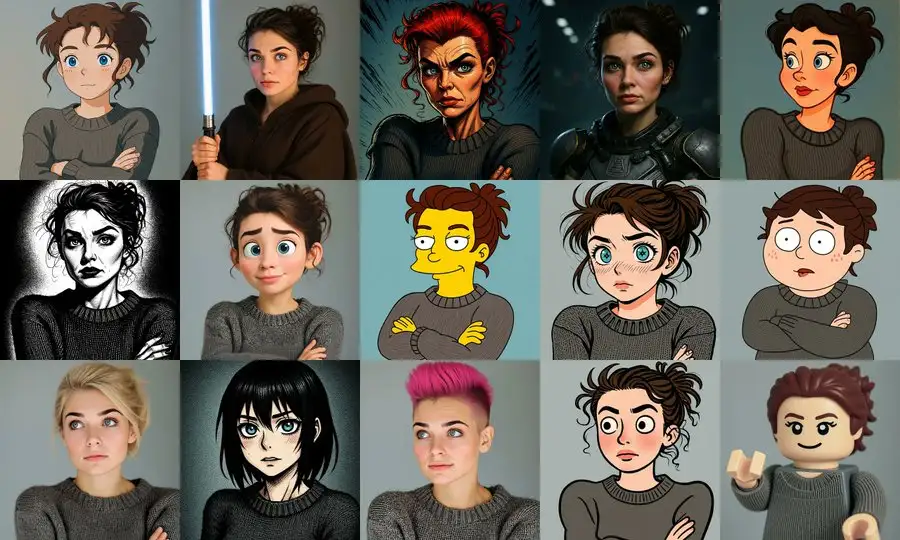
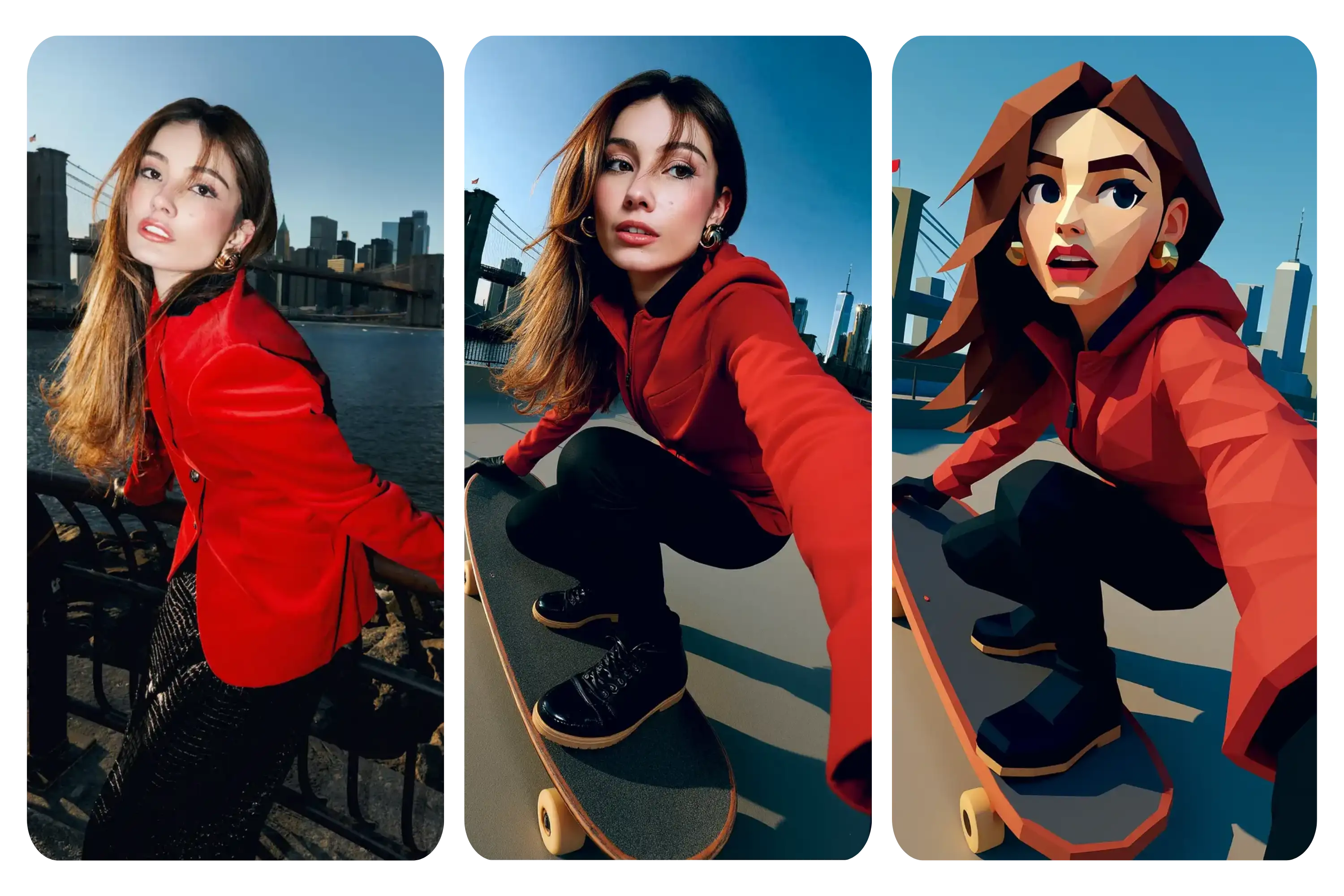
Character Consistency
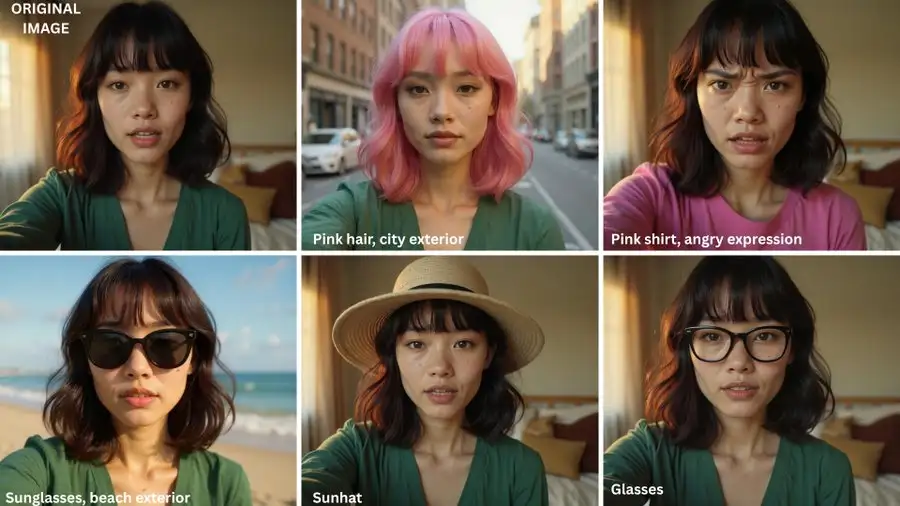
FLUX.1 Kontext ensures that key visual elements like facial features, hairstyles, and accessories remain consistent across all edits. Whether you’re working on a series of images or iterative designs, your characters retain their identity throughout.
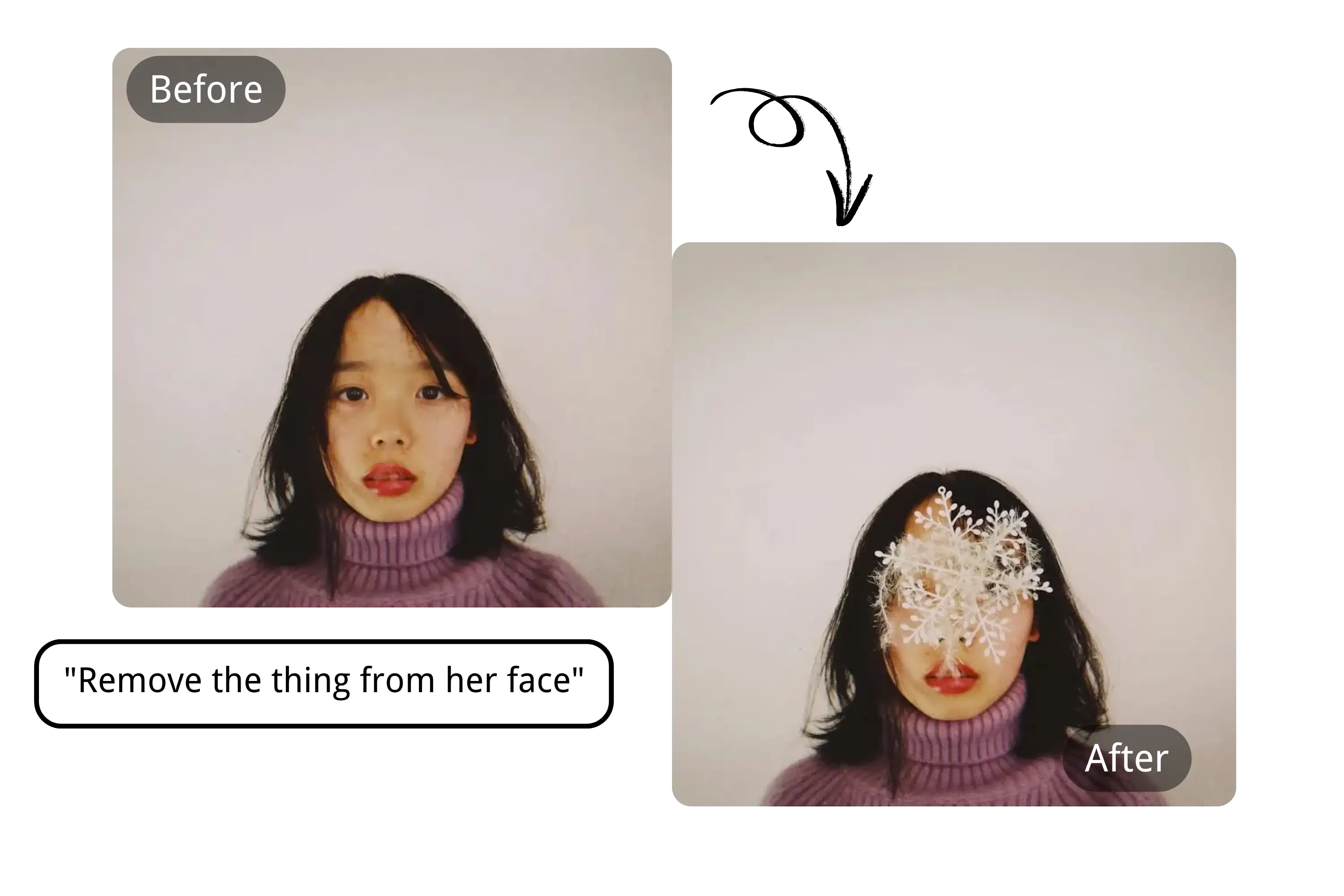
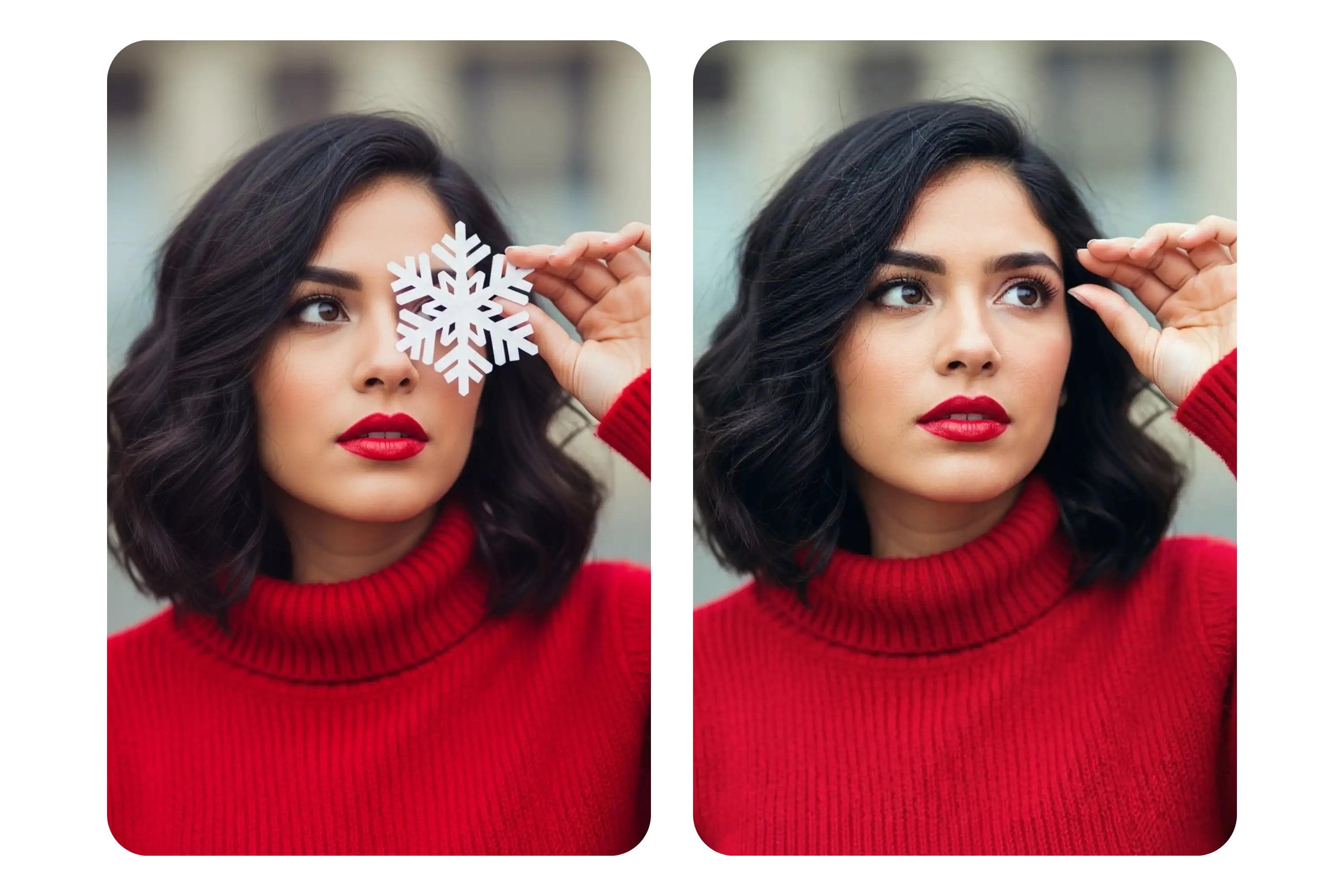
Local Editing
Target specific elements of an image, such as backgrounds, objects, or clothing, for precise editing without disturbing the rest of the scene. This makes FLUX.1 Kontext ideal for quick, accurate modifications in a high-paced workflow.
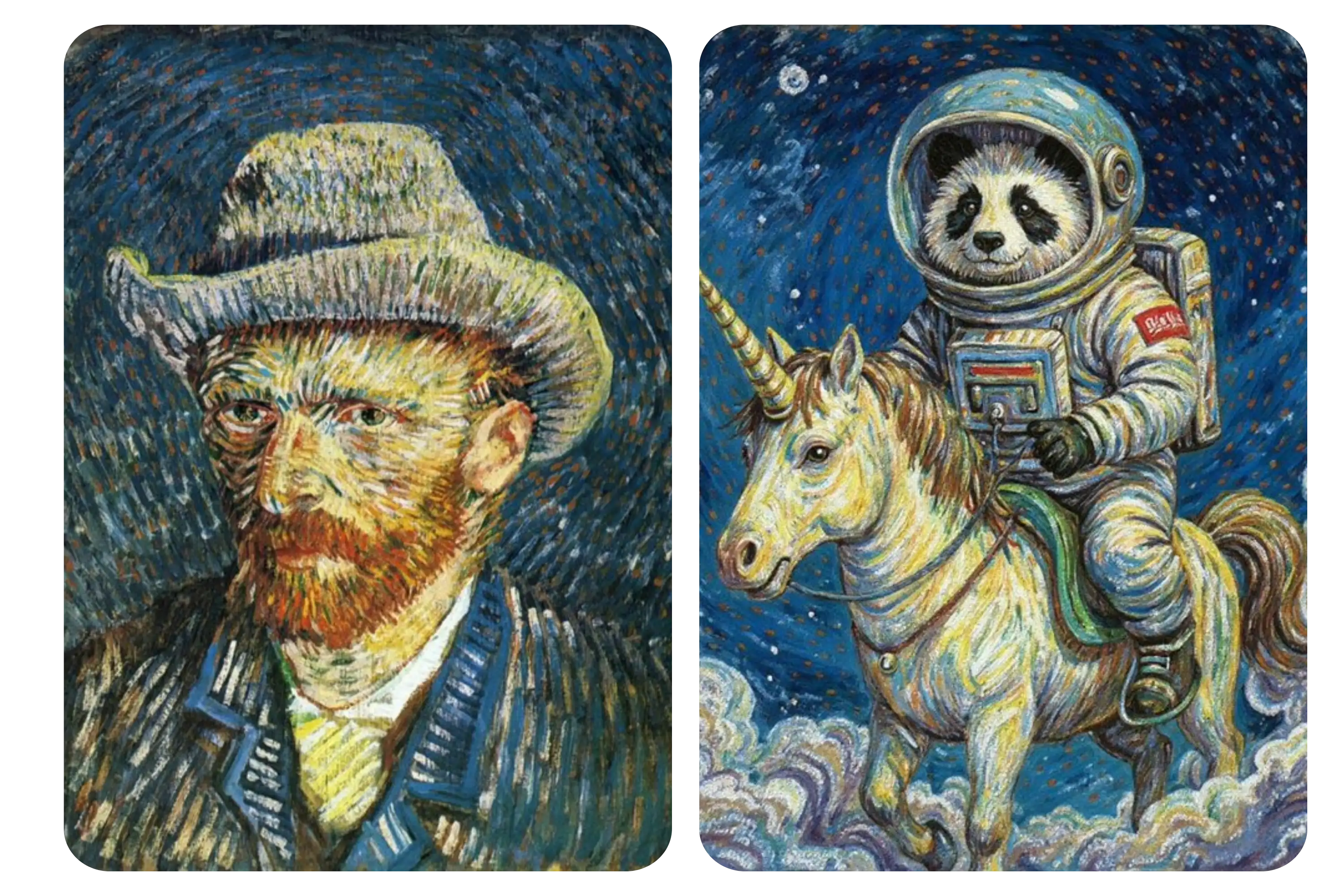
Style Referencing
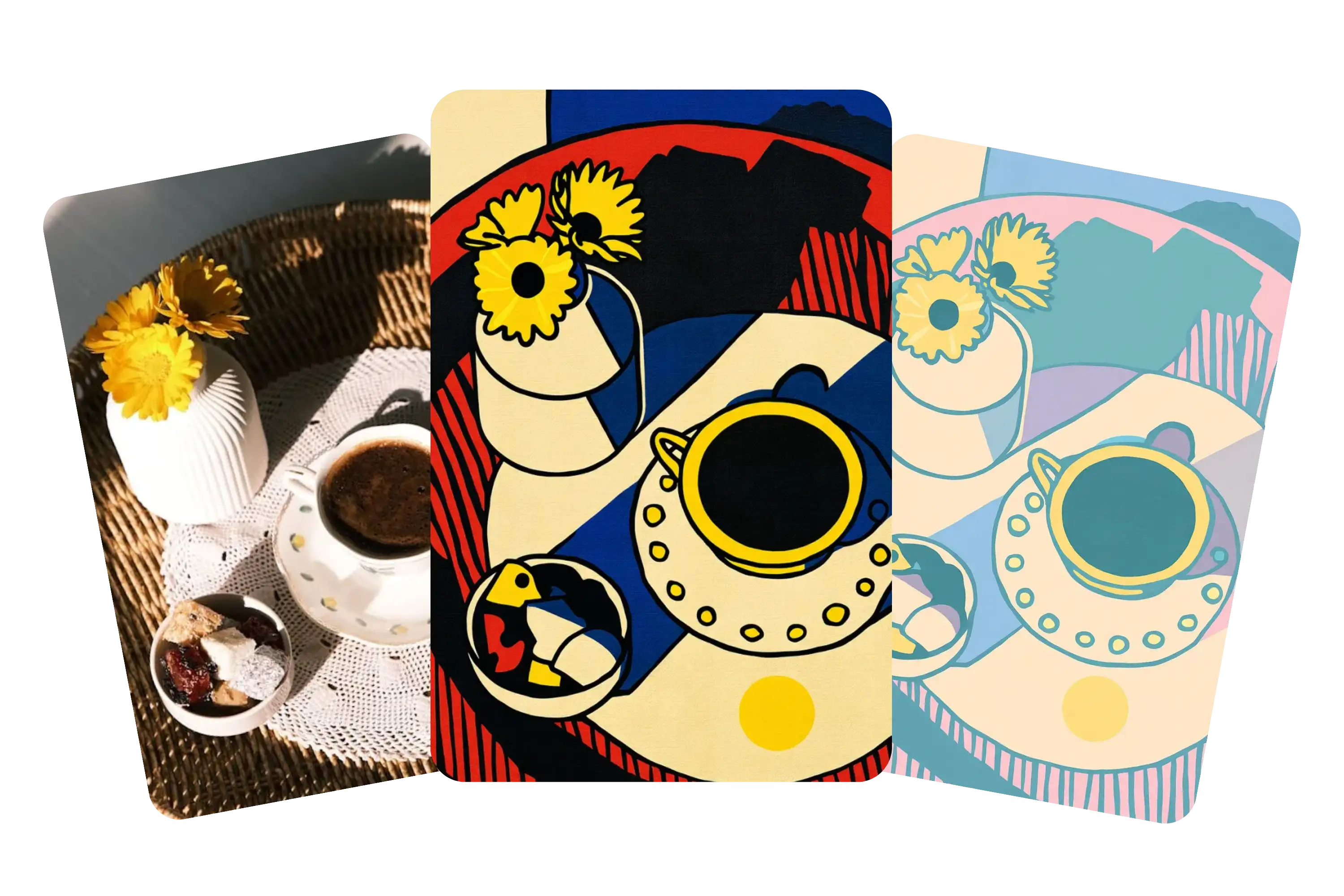
Apply the style of a reference image to new creations, keeping consistent lighting, color tones, and visual mood. Perfect for creating cohesive collections or transitioning from one visual style to another effortlessly.
High-Speed Performance
FLUX.1 Kontext is engineered for speed. With edits often completed in 1–2FLUX.1 Kontext Features Summary seconds and up to 8× faster than other models, it helps you stay productive and efficient, allowing for rapid iteration and concept development.
How to Use FLUX.1 Kontext by YesChat AI
Start with Your Prompt
Simply enter a text prompt to generate an image or upload an existing image for editing. A free account is required to get started — sign up free and get 60 credits.
Edit with Precision
Use the editing tools to make specific changes, such as altering backgrounds, adjusting clothing, or modifying facial features. You can also apply the style of a reference image to maintain consistency.
Iterate and Refine
Make iterative changes and adjustments with FLUX.1 Kontext's fast editing capabilities. Build and refine your concepts quickly, with each edit maintaining high-quality results.
What You Can Do with FLUX.1 Kontext
Style Transfer
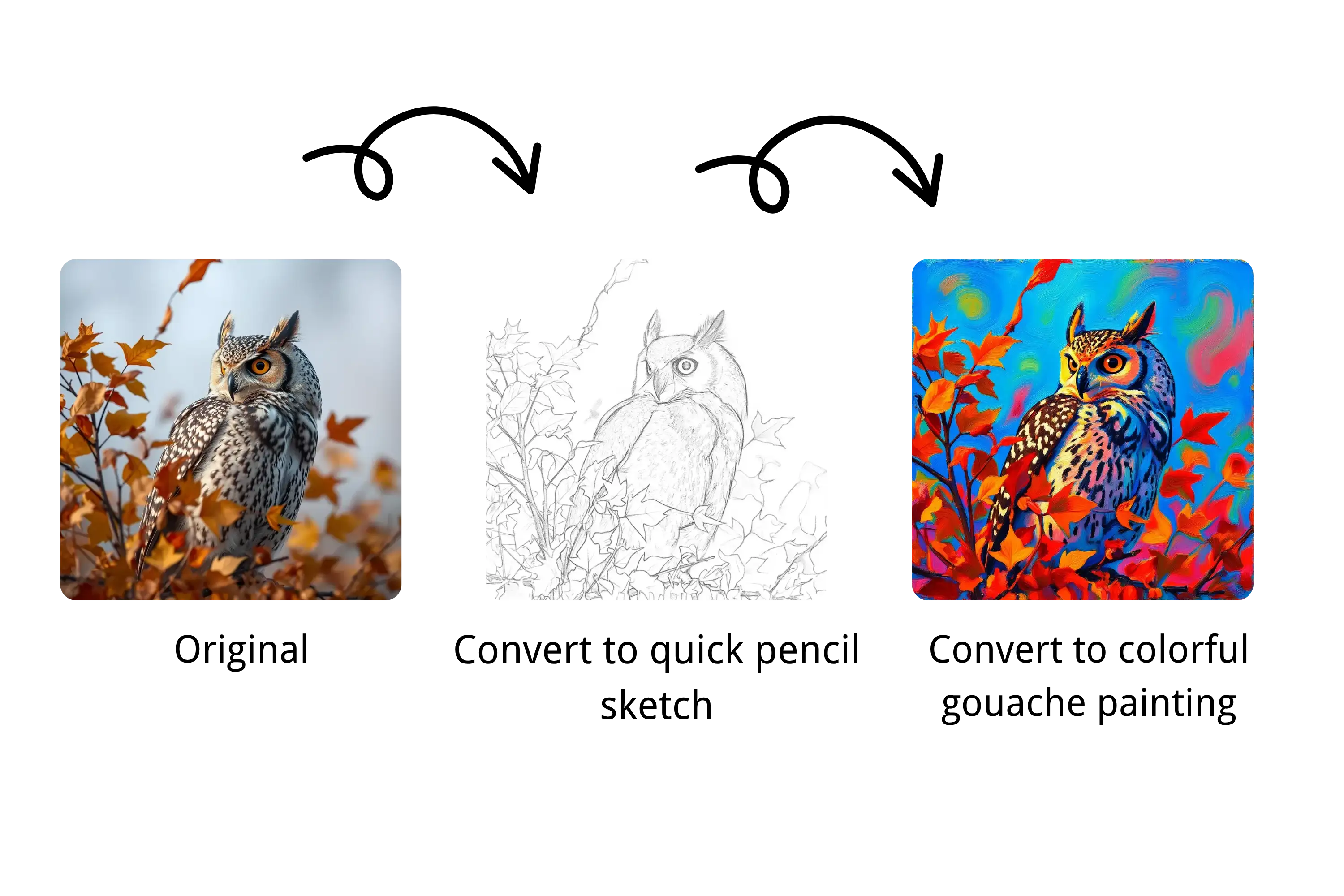
Convert photos into unique styles like watercolor, oil painting, or sketch — ideal for illustrations and content creators.
Object & Clothing Changes
Adjust hairstyles, add accessories, change fabric colors — all with a single line of instruction.
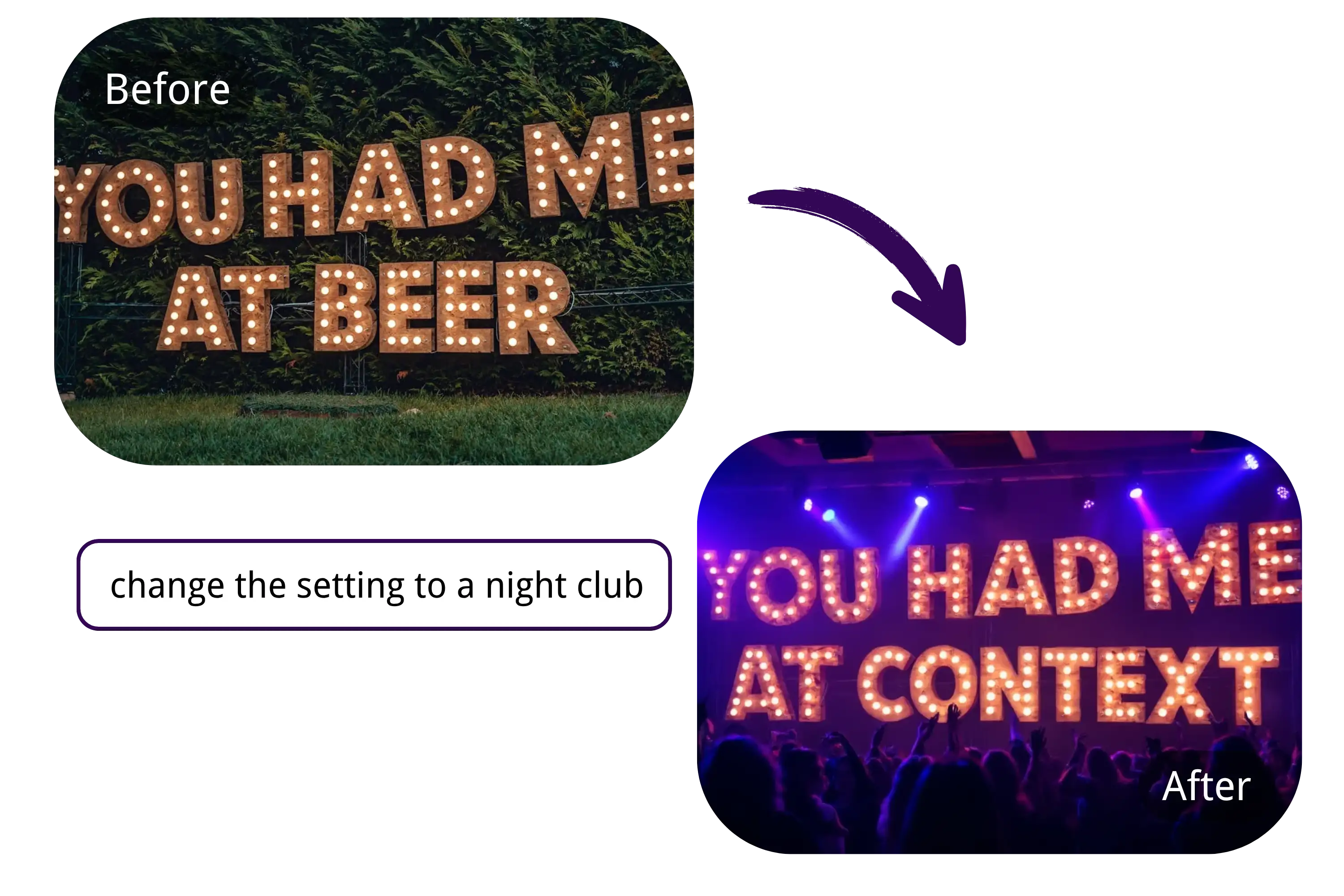
Text Editing in Images
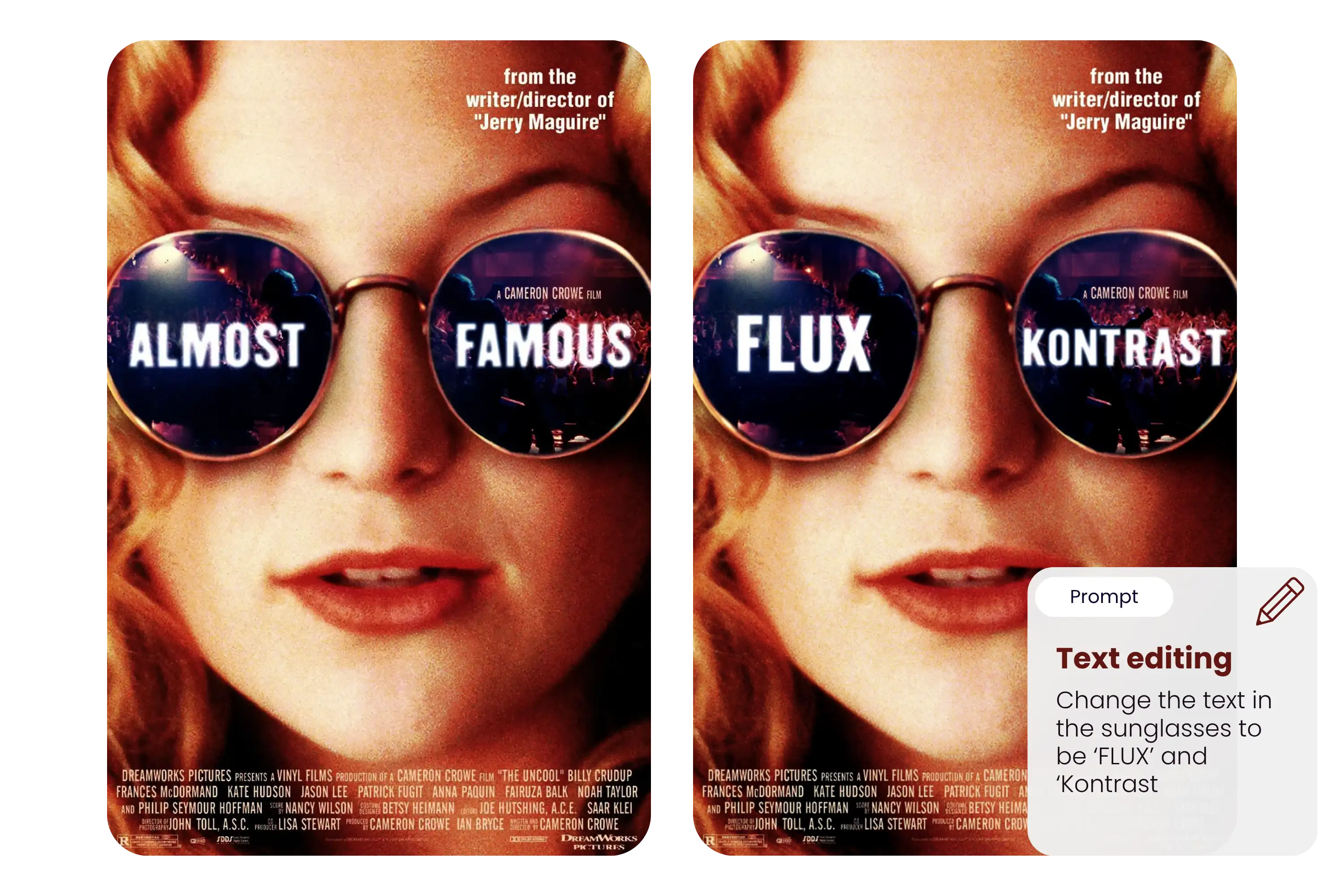
Modify labels, signs, posters, or billboards (e.g., turn "SALE" into "SOLD") with clean font rendering.
Background Swapping
Replace boring backdrops with scenic views or fantasy landscapes while keeping the main subject intact.
Character Identity Across Edits
Keep your characters looking consistent — even after five, six, or more iterative changes.
Local Editing
Make precise changes to specific areas of an image — like updating just the eyes, a logo, or a corner of the background — without affecting the rest.
Explore FLUX.1 Kontext Pro and Max on YesChat AI
FLUX.1 Kontext [pro] is built for speed and flexibility. It supports fast, iterative image edits with precise local control, making it ideal for users who need to adjust images quickly or experiment with creative concepts on the fly.
FLUX.1 Kontext [pro]
FLUX.1 Kontext [max] offers enhanced prompt accuracy, improved typography rendering, and greater consistency across edits. It’s best suited for high-resolution scenes, complex visual tasks, and professional use cases where quality and detail matter most.
FLUX.1 Kontext [max]
Frequently Asked Questions About FLUX.1 Kontext
Is FLUX.1 Kontext free on YesChat AI?
Yes, FLUX.1 Kontext is available for free trial on YesChat AI — a free account is required, and new accounts get 60 credits on sign-up.
Can I upload and edit my own images?
Absolutely. FLUX.1 Kontext supports both text-to-image and image-to-image editing.
How fast is the model?
Users report generation and editing times around 1–2 seconds per task — up to 8× faster than many other models.
Does it work well with text in images?
Yes. You can easily replace or correct text in signs, posters, and UI mockups with clear font handling.
Is this model good for multiple rounds of edits?
Yes, but excessive multi-turn edits (6+ changes) may cause minor visual artifacts — something we’re actively improving.
Can I use FLUX.1 Kontext for professional design projects?
Yes. FLUX.1 Kontext offers high-detail rendering for professional applications and complex scene generation.